


ChatGPT
4.8206.25K Reviews
App Specs
- Version
- 1.2026.293
- Updated On
- License
- Free
- Downloads
- 1,000,000,000+
- Developer
- OpenAI
- Categories
- Productivity
- Platform
- Android, iOS
Screenshots

 Analysis by AppCompare
I use ChatGPT most when I need a quick way to think something through, not when I want an answer I can accept without checking. The app can help me turn a vague question into a clearer plan, explain an unfamiliar idea, or find a starting point for writing. That makes it a useful pocket tool, but the conversational style can also make uncertain answers sound more settled than they are. I get the best results when I treat it as a capable assistant rather than an authority.
What Makes ChatGPT Stand Out?
First off, ChatGPT is not just any chat app. It’s powered by one of the most advanced language models out there, making conversations feel smooth and natural. You can talk about almost anything under the sun, and it’ll keep up with you in a way that’s both impressive and a bit mind-blowing.
The interface is sleek and easy to navigate. Once you fire up the app, you’re greeted with a simple chat window. No unnecessary frills, just you and the AI, ready to chat. It’s perfect for those who appreciate minimalist design.
A practical helper for everyday thinking
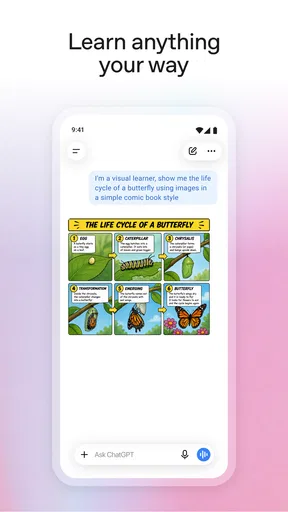
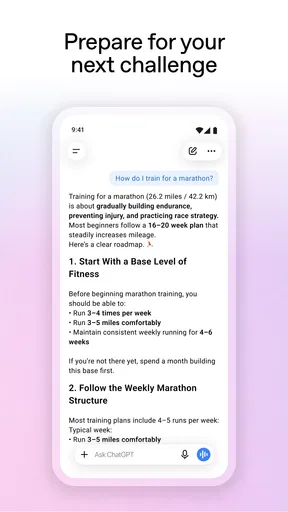
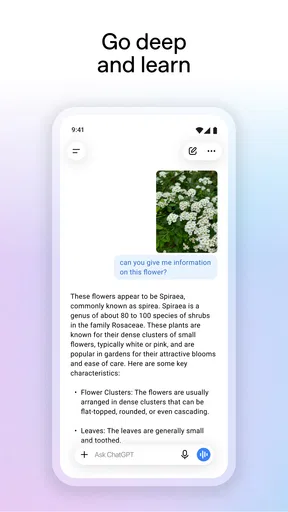
One thing I absolutely love about this app is its versatility. You can use it for learning new things, getting suggestions for your next movie night, or even writing assistance. I’ve even used it to help plan a last-minute road trip! It’s like having a pocket-sized assistant who’s always ready to help.
For a more grounded use, I’ll give it a messy list of errands and ask it to group them by location or urgency. That is a better fit than asking it to make decisions for me: I can see the suggested structure, correct what it misunderstood, and keep the final plan in my own hands. It also works well as a patient explainer. If a first answer is too technical, I can ask for a simpler version, then request an example that relates to something familiar.
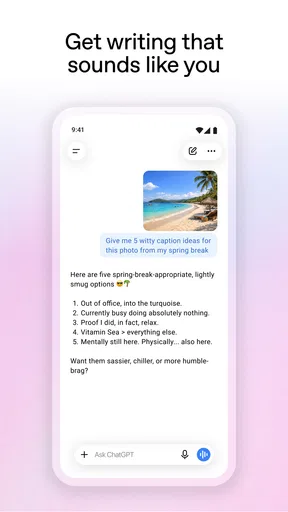
Another cool feature is the ability to switch between different tones and personalities. Feeling formal? Casual? You got it. This flexibility makes the app feel a bit more personal and tailored to your mood.
Trust starts with the right expectations
In today’s world, privacy is key, and ChatGPT takes this seriously. The app ensures that your conversations remain private and secure. It’s nice knowing that your chats aren’t being shared all over the internet.
Worth Reading Before You Choose

Baby Panda World Brings Quick Play to Modern Phones, but Its Game Library Feels Busy

ESPN’s Live Game View Makes Following Close Games Easier

QuizzLand Review: A Good Fit for Short Trivia Breaks, Not Every Player

Basketball Stars: Multiplayer Is Fast, but Can It Recover When Matches Go Wrong?

WEBTOON Turns Phone Updates Into a Better Reading Routine

Link to Windows Runs on Shared Habits, Not Social Feeds
I’d be careful about treating any conversational app as a private diary, though. A natural-sounding exchange can invite personal details, but I avoid entering passwords, financial information, or sensitive information about someone else. For health, legal, or money questions, I use a response to identify what to ask next, then check important claims with a qualified person or a dependable source. That habit matters because fluent wording is not proof that an answer is correct.
While it’s incredibly smart, it’s important to remember that it’s not omniscient. Sometimes it might get things a bit wrong, but hey, even humans aren’t perfect, right? It’s all part of the charm.
Where it fits among other tools
Compared with a search engine, this app is often better at turning a question into a back-and-forth conversation: I can explain what I meant, ask for a different level of detail, or request a draft in a particular voice. Search is usually the better choice when I need to inspect original sources, verify a current detail, or compare several pages directly. For calculations, records, and repeatable work, a dedicated spreadsheet or specialist app is generally more dependable than a chat that may interpret instructions loosely.
A useful middle ground is to ask ChatGPT to help frame a search rather than replace one. For example, I might ask it to list the distinctions I should check before choosing a laptop, then use retailer specifications and independent reviews to confirm each point. This turns the app into a guide for research, not the final evidence. It is especially handy when I know the topic only vaguely and need help finding the right terms.
Small habits that improve the results
When a request matters, I include the goal, the audience, and any limits in the same message. “Help me write a note” leaves too much open; explaining that it is for a colleague, should be warm but concise, and must not promise a date gives the reply something concrete to follow. If the first draft misses the mark, I point to the specific sentence or assumption instead of starting over. That usually makes the next turn more useful and keeps me from accepting a polished but unsuitable answer.
I also separate brainstorming from fact-checking. I might ask for several ways to organize a short presentation, choose one, and then verify every factual claim myself. For a long task, I find it clearer to work in stages: ask for an outline, review it, and request one section at a time. The trade-off is that this takes more attention than a one-shot prompt, but it gives me more chances to catch a misunderstanding before it spreads through the whole result.
Who will get the most from it?
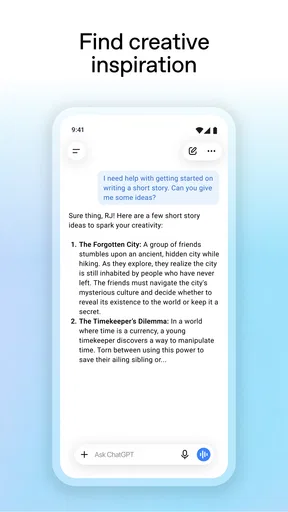
I’d recommend it to curious learners, people who write often, and anyone who wants a low-friction partner for outlining, rephrasing, or exploring options. It can be particularly helpful when you are stuck at the blank-page stage: ask for a few possible openings, compare them, and use the one that gives you momentum. It is also convenient for everyday planning, as long as you review practical details such as opening hours, routes, or availability elsewhere before acting on them.
It is less suitable for someone who needs guaranteed accuracy, a formal recordkeeping system, or a specialist tool with predictable outputs. If the task depends on exact figures, up-to-date rules, or a decision with serious consequences, I would not rely on a conversational answer alone. Likewise, if you prefer results drawn visibly from documents you can inspect, a search service or reference source may feel more transparent. The right choice depends less on whether the app can respond and more on how much verification the task deserves.
Cost, access, and what to expect
OpenAI’s official productivity app is free to download, and its average rating is 4.8 from around 35 million ratings. It has passed 500 million installs, which tells me it has become a familiar option for many mobile users, though popularity alone says nothing about whether a particular answer is reliable. The app is rated Teen, and in-app purchases range from $19.99 to $200.00 per item, so I would check the purchase details shown in the app before choosing anything paid rather than assuming every capability is included at no cost.
The listed release date is July 21, 2023, and the current version is 1.2025.350, with Android 7.0 as the minimum operating system. I’d check that my device meets the requirement before trying to install it. The listing identifies the app as the official one from OpenAI, a useful point to check when searching a crowded app marketplace: developer identity matters when choosing which AI chat app to install.
Everyday scenario: turning a rushed afternoon into a plan
Imagine I have a few hours free, a couple of errands, and no clear order for getting them done. I can describe the constraints—what must happen first, what can wait, and how much time I have—and ask for a sensible sequence. If the proposal assumes something I never said, I can correct that assumption and ask for a revised plan. I still confirm travel details and opening times independently, but the conversation helps me see a workable order quickly.
The same approach can help with a draft email or a study session. I might ask it to turn a dense subject into a short explanation, then ask which terms need closer attention. I do not copy the result blindly: I compare it with my notes, correct any mismatch, and use follow-up questions to expose what I have not understood. That makes the app most valuable as an interactive starting point rather than a substitute for reading, practice, or personal judgment.
Useful boundaries and a cautious verdict
One frustration is that a confident answer can still contain an error or miss an important condition. Another is that a broad prompt may produce a broad response, which sounds helpful but leaves the real decision unresolved. I manage both by asking narrower questions, requesting the assumptions behind a recommendation, and checking important claims before acting. When a task needs a precise, repeatable outcome, I switch to a tool designed specifically for it instead of trying to coax a chat into behaving like a database or calculator.
Before sharing personal material, I look for the account and privacy choices available in the app and consider whether the information is necessary for the request at all. I do not assume that a friendly tone tells me how data is handled, and I avoid putting someone else’s confidential details into a prompt. That is a practical boundary, not a reason to avoid the app entirely: everyday questions and fictional examples can often get the same useful result without exposing sensitive information.
Overall, I’m pretty impressed with ChatGPT. It’s a fun, engaging app that offers a unique way to interact with AI technology. Whether you’re a tech enthusiast or just someone looking for a new app to try, I’d say give it a shot. It’s an enjoyable way to pass the time and maybe even learn something new along the way!
So, if you’re curious, go ahead and download it. Who knows? You might find yourself chatting more with your phone than ever before!
Pros
- Intuitive and easy-to-use interface.
- Offers a wide range of topics.
- Provides quick
- informative responses.
- Adapts to different user styles.
- Available 24/7 for any queries.
Cons
- Requires internet access to function.
- May provide outdated information.
- Limited understanding of niche topics.
- Occasional repetition in responses.
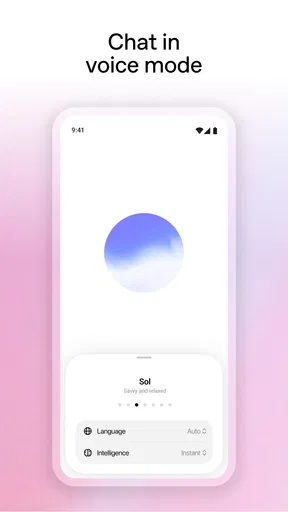
- No voice interaction available.
FAQs for ChatGPT
What is ChatGPT used for?
ChatGPT is a versatile AI-powered chatbot designed to assist users with a wide range of tasks, from answering questions to providing recommendations and entertaining dialogues. It can be used for educational purposes, creative writing, coding help, and more, making it a valuable tool for both personal and professional use.
How does ChatGPT ensure user privacy?
ChatGPT prioritizes user privacy by not storing personal data or conversation history. Interactions are processed in real-time and are not saved, ensuring that user information remains confidential. However, users should avoid sharing sensitive information during their sessions for additional safety.
Is ChatGPT free to use, or are there subscription options?
ChatGPT offers both free and subscription-based access. The free version provides limited usage, while the subscription plan, often called ChatGPT Plus, offers enhanced features such as faster response times and priority access during peak hours, ensuring a smoother user experience.
Can ChatGPT understand and generate content in multiple languages?
Yes, ChatGPT is capable of understanding and generating content in multiple languages. While its proficiency varies depending on the language, it generally supports a wide range of languages, making it a useful tool for multilingual communication and translation assistance.
What are the limitations of ChatGPT?
While ChatGPT is a powerful AI tool, it has limitations. It may occasionally produce incorrect or nonsensical answers, lack up-to-date information, and struggle with highly specific or complex tasks. Users should verify important information and consider using ChatGPT as a supplementary resource rather than a sole source.


